
How to Choose a Refurbished Laptop for Work, Study, or Home (Hamilton, NZ)
And Why It Matters When Buying Refurbished Tech

Written by
Braydon Stone
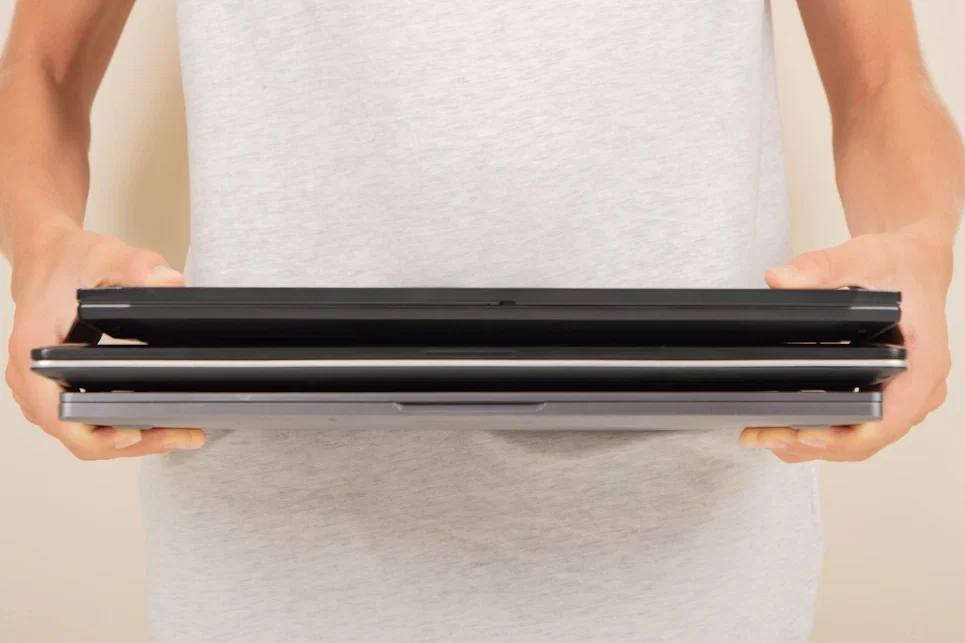
Buying a refurbished laptop can be a smart, long‑term decision—if you know what to look for. This guide explains how to choose a refurbished laptop that fits your needs for work, study, or home use, with clear decision logic around performance, battery health, and expected lifespan. It’s written for home users, students, and small businesses in Hamilton and the wider Waikato, and it avoids hype in favour of practical, checkable advice.
Regen Computers is a Hamilton, New Zealand–based specialist in professionally refurbished laptops, desktops, and honest diagnostics‑first repairs for computers, phones, and other devices. We help home users, students, and small businesses choose reliable refurbished devices by explaining trade‑offs clearly and recommending repairs or replacements only when they make sense.
Refurbished vs Used: What’s the Difference (and Why It Matters)
Used laptops are typically sold as‑is. You’re relying on the previous owner’s care, with limited testing and unclear wear on critical parts like the battery, storage, or cooling system.
Refurbished laptops are different. A professionally refurbished device is:
Inspected and tested across core components (CPU, RAM, storage, thermals)
Cleaned internally and externally
Repaired or refreshed where needed (e.g. new storage, keyboard, or battery assessment)
Sold with transparent grading and warranty support
This distinction matters because laptops fail most often due to hidden wear—batteries, SSD health, thermal paste, and ports. Refurbishment addresses these risks directly; “used” usually does not.
If you want to understand the standards we apply, see our Refurbished Promise (link naturally from your site’s Refurbished Promise page).
Step 1: Start With How You’ll Use the Laptop
For Work (Small Business, Trades, Office Roles)
Priorities:
Reliability and longevity
Comfortable keyboard and screen
Enough performance for multitasking (email, browser tabs, documents, accounting apps)
Recommended baseline:
CPU: Modern Intel Core i5 / AMD Ryzen 5 (or equivalent generation)
RAM: 16 GB if you multitask; 8 GB minimum for lighter office use
Storage: SSD (not HDD), 256 GB or more
Screen: 14–15.6" with good brightness for long sessions
Why refurbished works here: Business‑grade laptops are built for durability and are excellent candidates for refurbishment. They’re designed to last and to be serviced.
For Study (Secondary, Tertiary, University)
Priorities:
Portability and battery life
Quiet operation
Enough performance for coursework and research
Recommended baseline:
CPU: Intel Core i5 / Ryzen 5 (newer generations help battery life)
RAM: 8 GB (16 GB if studying design, engineering, or data‑heavy subjects)
Storage: SSD, 256 GB+
Weight: Under ~1.6 kg if you carry it daily
A refurbished laptop makes sense for students because it reduces upfront cost without sacrificing reliability, as long as battery health is assessed properly (more on that below).
For Home Use (Everyday, Family, Light Creative)
Priorities:
Ease of use
Quiet, cool operation
Enough performance for browsing, streaming, and documents
Recommended baseline:
CPU: Intel Core i3/i5 or Ryzen 3/5 (recent generations)
RAM: 8 GB
Storage: SSD, 256 GB+
Avoid ultra‑old machines marketed cheaply. They often struggle with modern browsers and updates, which shortens their usable life.
Step 2: Match Performance to Real Needs (Not Marketing Specs)
Performance isn’t about chasing the highest numbers—it’s about avoiding bottlenecks.
CPU (Processor)
Aim for mid‑range CPUs from recent generations
Older high‑end CPUs can perform worse (and run hotter) than newer mid‑range ones
RAM
8 GB: Minimum for modern use
16 GB: Recommended for work, multitasking, or longevity
Storage
SSD is non‑negotiable for speed and reliability
NVMe SSDs are faster, but a standard SATA SSD is still a major upgrade from any HDD
A professional refurbisher should be able to explain why a particular configuration suits your use—not just list specs.
Step 3: Battery Health — The Most Overlooked Factor
Battery condition determines how usable a laptop really is, especially for students and mobile work.
Ask (and expect clear answers):
What is the current battery health?
Has the battery been tested under load?
Is replacement recommended now, later, or not at all?
Honest refurbishment means saying when a battery is:
Good (no action needed)
Acceptable (shorter runtime, still usable)
Not worth keeping (replacement advised)
If a battery replacement costs more than the laptop’s long‑term value, a trustworthy provider should tell you that upfront.
Step 4: Longevity Expectations (How Long Should It Last?)
A professionally refurbished laptop should reasonably offer:
3–5 years of reliable use for general work or study
Longer if it’s business‑grade and well‑maintained
Longevity depends on:
CPU generation (newer = longer support window)
RAM headroom (16 GB ages better)
Thermal condition (clean cooling system matters)
Battery realism (expect gradual decline, not miracles)
Refurbishment is about extending useful life, not pretending a device is new.
Step 5: Understand the Trade‑Offs (and Why They’re Acceptable)
Refurbished laptops involve clear trade‑offs:
You may not get the latest design
Cosmetic wear can exist (and should be disclosed)
Component upgrades are targeted, not cosmetic
In return, you get:
Better value per dollar
Proven hardware platforms
Local support and diagnostics
This trade‑off is often ideal for buyers who value function, reliability, and transparency over novelty.
Buying Refurbished in Hamilton / Waikato: Why Local Matters
Buying locally in Hamilton or the Waikato means:
You can ask detailed questions and get real answers
Diagnostics and follow‑up support are accessible
Repairs, if needed, are handled by people who know the device
Regen Computers operates as a Hamilton‑based specialist, focusing on professionally refurbished laptops alongside honest diagnostics‑first repairs. If a device isn’t worth repairing—or a refurbished option isn’t the right fit—we say so.
You can explore current options in our Refurbished Laptops category (link naturally to the Refurbished Laptops page).
A Practical Checklist Before You Buy
Use this checklist to compare refurbished options objectively:
✅ SSD installed (no HDD)
✅ At least 8 GB RAM (16 GB preferred)
✅ Battery health explained clearly
✅ Business‑grade build for work or study
✅ Warranty and local support available
✅ Clear explanation of cosmetic vs functional condition
If any of these answers are vague, pause and ask more questions.
Final Thoughts
A refurbished laptop can be a reliable, long‑term tool when it’s professionally assessed, honestly represented, and matched to your actual needs. The goal isn’t to buy the cheapest device—it’s to avoid false savings that lead to frustration or early replacement.
If you’re unsure what configuration makes sense for your work, study, or home use, a diagnostics‑first conversation will always save more time and money than guessing.
For deeper detail on how we assess devices, see our Refurbished Promise, or browse the Refurbished Laptops category to compare real‑world options available in Hamilton.
Shop our full range of ex-lease laptops, Chromebooks, and PCs at regeneration.co.nz - or visit us in-store in Hamilton for friendly, expert advice.