
• Repair Guides
The Most Common PS5 Problems (and Which Are Worth Repairing)
The PS5 is a solid console, but it can still go wrong, especially when it's had a few years of heavy gaming, a house move, or a curious pet. The good news is that a lot of PS5 faults can be fixed, often for much less than a new console costs. Here are the problems we see most often at Regen Computers, what usually causes them, and whether a repair is worth it.
Gaming Console Repairs Hamilton | PlayStation, Xbox and Nintendo

Written by
Braydon Stone
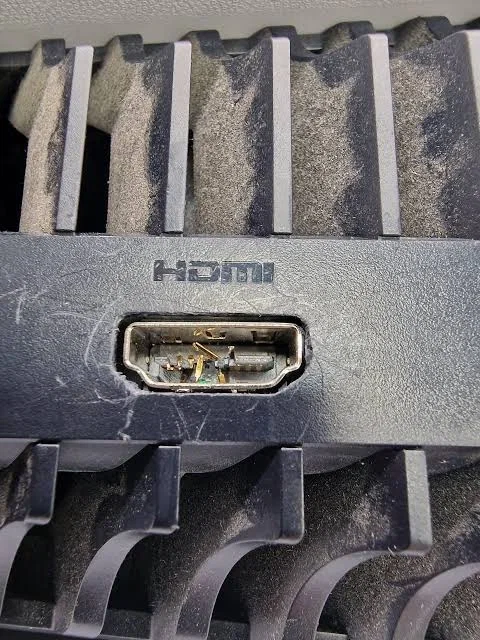
1. No picture: HDMI port damage
What it looks like: The console powers on but there's no signal on the TV, the picture flickers, or it only works when the cable sits at a certain angle.
Common causes: Pulling the cable out at an angle, tripping over it, or moving the console while it's still plugged in. The HDMI port is soldered to the motherboard, so its pins can bend or break off.
Worth repairing? Usually, yes. Replacing an HDMI port is one of the most common console repairs. It needs proper micro-soldering, so it's not a good DIY job, but it's very fixable.
Before you bring it in: Try a different HDMI cable, another HDMI input on the TV, or another TV altogether. Sometimes the fault isn't the console at all.
2. Overheating, loud fans or random shutdowns
What it looks like: The fan gets loud during games, the console shuts down without warning, or you get an overheating message.
Common causes: Dust building up in the vents and fan, a console tucked into a closed cabinet, or a fault with the fan or the cooling system.
Worth repairing? Yes. A professional internal clean often makes a big difference, and if the fan has failed it can be replaced.
Before you bring it in: Give the console space to breathe on every side, keep it out of enclosed shelves, and gently vacuum the outside vents. Don't open it up if you're not confident doing so.
3. DualSense stick drift
What it looks like: Your character or the camera moves on its own, or menus scroll when you're not touching anything.
Common causes: Wear inside the analogue stick modules, dust and grime, or damage from a drop.
Worth repairing? Often, yes, especially for an otherwise good controller. The stick modules can be replaced, and that's usually cheaper than buying a new controller.
Before you bring it in: Update the controller and console software, and try the controller on a different device to rule out other problems.
4. Disc drive problems
What it looks like: Discs won't read, the console won't take a disc in or keeps ejecting it, or you hear grinding or clicking.
Common causes: A scratched or dirty disc, a worn or misaligned drive mechanism, or a faulty drive.
Worth repairing? It depends on the fault. A cleaning or mechanism fix is often worth doing. Keep in mind that PS5 disc drives are paired to the console's motherboard, so a replacement drive isn't simply plug and play. Have a technician look at it before you assume the worst.
Before you bring it in: Try a few different discs, including one you know is in good condition, and check for any system updates.
5. Won't turn on, or the light comes on and goes off
What it looks like: Nothing happens when you press power, it beeps and turns off straight away, or the light glows or pulses with no picture.
Common causes: A power supply fault, a power surge, a software problem, or a motherboard fault.
Worth repairing? Often, but it needs a diagnosis first. Power supply faults are generally very repairable. Motherboard faults vary a lot, and we'll tell you honestly whether a repair makes sense.
Before you bring it in: Try a different power cable and wall socket, and try starting the console in Safe Mode (hold the power button until you hear a second beep).
6. Freezing, crashing or "corrupted data" errors
What it looks like: Games freeze, the console crashes back to the home screen, or you see error messages about corrupted data.
Common causes: Corrupted game data, out-of-date system software, a nearly full drive, or a fault with the internal storage.
Worth repairing? Many of these turn out to be software issues you can fix yourself. If the problem keeps coming back, it's worth getting the hardware checked.
Before you bring it in: Update the system software, free up some storage, delete and reinstall the game that's causing trouble, and try the "Rebuild Database" option in Safe Mode.
7. Liquid damage or drops
What it looks like: Anything from random faults to a console that won't turn on at all after a spill or a fall.
Worth repairing? Sometimes. The sooner it's looked at, the better the chances. Unplug it straight away and don't keep trying to turn it on.
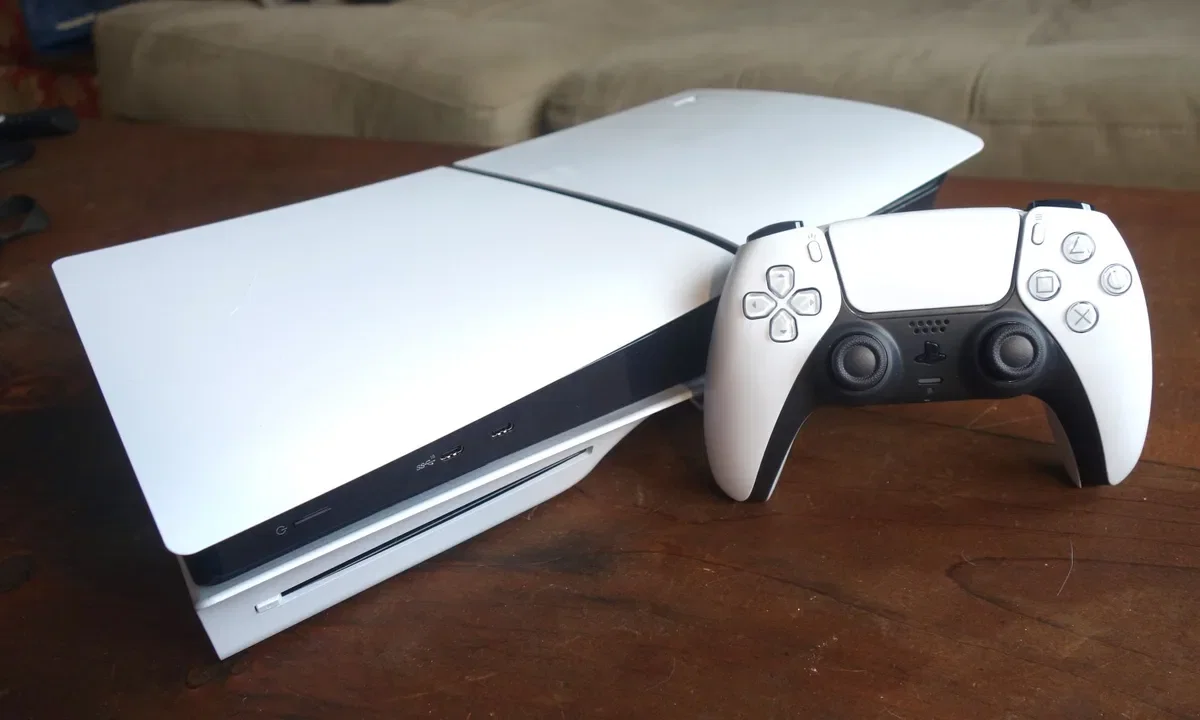
PlayStation 5 On Table with Controller
When is a PS5 repair worth it?
As a rough guide, a repair is worth considering when:
The fault is a common, well-understood one, like the HDMI port, the fan, a dirty internal, stick drift or the power supply.
The rest of the console is in good working order.
You've got saved games, settings or a setup you'd rather keep.
It may not be worth it if the motherboard has serious damage or the repair would cost close to a replacement. A good repairer should tell you that plainly.
Your PS5 Repair Questions Answered
Common PS5 Repair Questions
Most hardware repairs, like an HDMI port, fan or controller fix, don't touch your data. Some faults can affect storage, though, so if you have PS Plus, turn on cloud saves as a backup.
Cleaning can sometimes help, but drift is usually caused by wear inside the stick module. Replacing it means soldering, so most people are better off having it done professionally.
Cleaning the outside vents is fine. Opening the console takes more care, and you risk damaging parts or voiding any warranty you still have, so if you're unsure, leave it to a technician.
If it's in warranty and hasn't been damaged, check with Sony or the retailer first. Under the Consumer Guarantees Act you may also have rights through the retailer. For accidental damage, or once the warranty has run out, an independent repair shop is a good option.
It depends on the fault and whether parts are on hand. Get in touch and we'll give you an idea once we know what's wrong.
Bring your PS5 to Regen Computers
If your PS5 is playing up, whether it's no picture, a roaring fan or a drifting controller, pop into Regen Computers at 4 Devon Road or get in touch through our website. We'll take a look, explain what's going on in plain English, and tell you honestly whether it's worth fixing. We repair laptops and phones too, and we sell quality refurbished tech if it's time for an upgrade.
Book Your Repair Now