
RAM and SSD Upgrades Hamilton
Is Your Computer Running Slowly?
If your computer takes a long time to start, struggles to keep up with everyday tasks, or becomes frustrating to use, a RAM or SSD upgrade may provide a significant performance improvement.
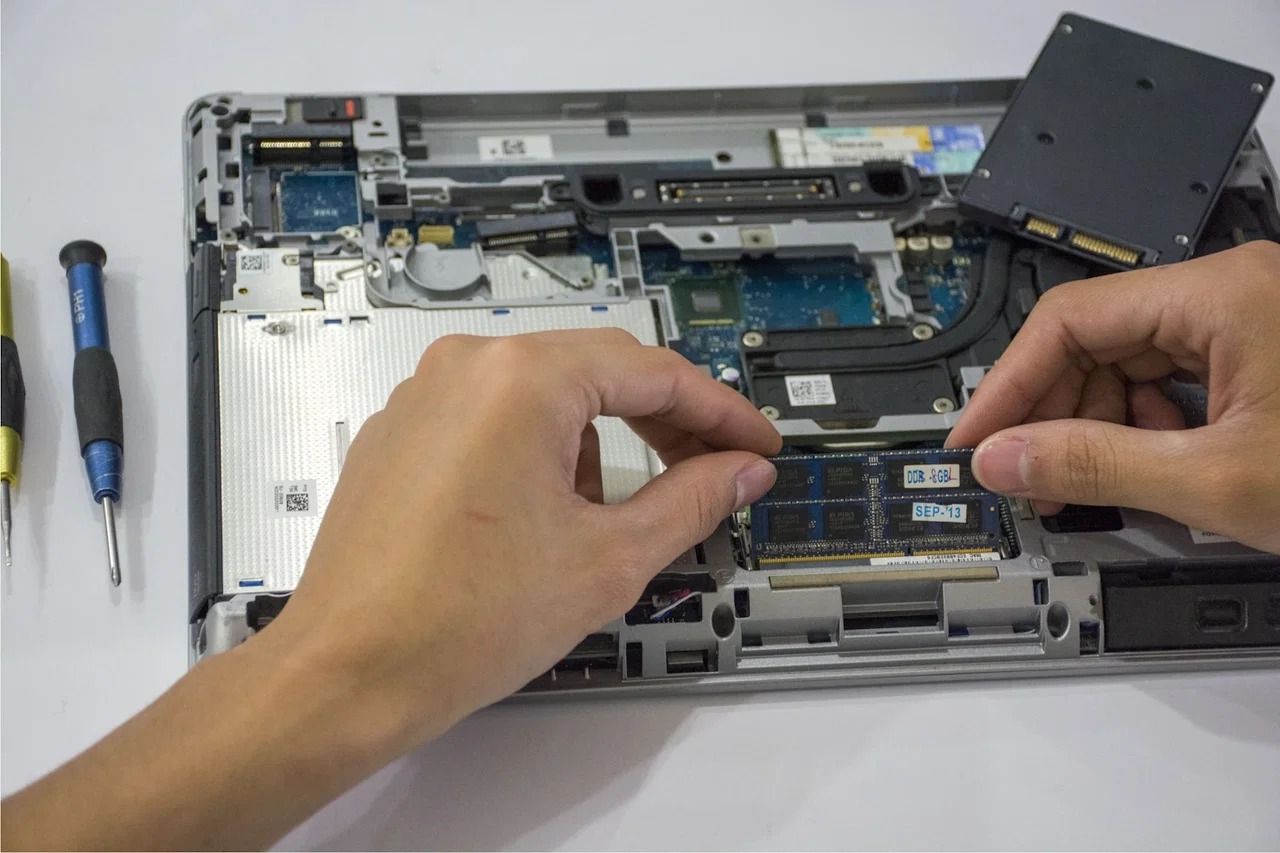
Why Choose Regen Computers for RAM & SSD Upgrades?
At Regen Computers, we provide RAM and SSD upgrades from our Hamilton workshop for customers throughout Hamilton and the wider Waikato region.
Rather than immediately recommending a new computer, we take a practical approach and assess whether an upgrade can extend the life of your existing device.
Regen Computers
Typical Repair Shops
Diagnostics-first recommendations
Honest upgrade advice
Performance-focused solutions
Transparent pricing
90-day warranty
Not every computer benefits from the same upgrade. We help identify which upgrade offers the best value.
RAM and SSD Upgrade Pricing
Pricing varies depending on:
Device type, Current specifications, Upgrade capacity,
SSD type, Installation requirements
Upgrade Type
Starting Price
RAM Upgrade
From $69
SSD Upgrade
From $99
SSD Clone & Migration
From $49
Combined RAM & SSD Upgrade
Quote Required
Contact us with your laptop or desktop model for an accurate quote.
RAM Upgrade vs SSD Upgrade
One of the most common questions we receive is:
"Should I upgrade the RAM or the SSD?"
The answer depends on how you use the computer.
SSD Upgrades
An SSD (Solid State Drive) is often the single biggest performance upgrade for an older computer.
Common Benefits
✅ Faster startup times
✅ Faster application loading
✅ Improved overall responsiveness
✅ Reduced waiting time
✅ Improved reliability compared to ageing hard drives
Best For
Computers that:
Start slowly
Take a long time to open programs
Still use a mechanical hard drive
RAM Upgrades
RAM affects how much information your computer can handle at once.
Common Benefits
✅ Better multitasking
✅ Improved browser performance
✅ Better performance with multiple applications open
✅ Reduced slowdowns when switching between tasks
Best For
Computers that:
Slow down with many browser tabs open
Struggle when running multiple applications
Frequently reach memory limits
Common Signs Your Computer Needs an Upgrade
Your device may benefit from a RAM or SSD upgrade if you notice:
✅ Slow startup times
✅ Programs taking a long time to open
✅ Freezing during normal use
✅ Sluggish web browsing
✅ Performance issues when multitasking
✅ Storage running out
✅ Computer feels much slower than when it was new
Not every slow computer requires replacement. In many cases, a targeted upgrade can significantly improve performance.
Will an SSD Make My Computer Faster?
In many cases, yes.
Moving from a traditional hard drive to an SSD is often one of the most noticeable upgrades available.
Many customers experience:
✅ Faster boot times
✅ Faster application launches
✅ Reduced loading times
✅ Improved everyday responsiveness
For older laptops and desktops, SSD upgrades can often provide excellent value for money.
How Much RAM Do I Need?
The ideal amount depends on how you use your computer.
Everyday Use
Browsing, email, streaming and office applications:
8GB RAM is often sufficient.
Work and Multitasking
Business users running multiple applications:
16GB RAM is commonly recommended.
Creative Work & Gaming
Video editing, design software and higher-performance workloads:
16GB to 32GB RAM may be appropriate.
We'll recommend the most practical option based on your needs.
Is Your Computer Worth Upgrading?
This is one of the most common questions we receive.
Upgrades Are Often Worthwhile When:
✅ The device still performs your required tasks
✅ The upgrade cost is significantly lower than replacement
✅ The computer is otherwise reliable
✅ You want to extend the life of the device
✅ The performance issue is hardware-related
Replacement May Be Better When:
✅ The device is severely outdated
✅ Multiple major faults exist
✅ Upgrade costs approach replacement value
✅ Your computing needs have changed significantly
If upgrading isn't worthwhile, we'll explain why and discuss alternative options, including refurbished computers where appropriate.
How We Assess Upgrade Opportunities
Before recommending upgrades we assess:
Storage Performance
Identifying whether an SSD upgrade will provide meaningful benefits.
Memory Usage
Checking whether the system is limited by RAM capacity.
System Compatibility
Confirming upgrade options available for the device.
Device Condition
Ensuring upgrades are worthwhile overall.
Value Assessment
Comparing upgrade costs against replacement value.
This helps ensure customers spend money where it delivers the greatest benefit
Can RAM and SSD Upgrades Extend the Life of a Computer?
For older laptops and desktops, upgrading RAM or replacing a traditional hard drive with an SSD can significantly improve usability and delay the need for replacement.
When the computer is otherwise reliable, upgrading is often one of the most cost-effective ways to improve performance.
What's Included in Every Upgrade?
Diagnostic Assessment
We identify whether an upgrade is likely to improve performance.
Hardware Installation
RAM or SSD components are professionally installed.
Data Migration (where applicable)
Existing data may be transferred to the new SSD.
Testing
We verify:
Upgrade recognition
System stability
Performance improvement
General functionality
Final Quality Check
Devices are tested before collection.
Why Are Some Upgrade Quotes Different?
Upgrade pricing can vary based on:
RAM capacity
SSD type
Storage size
Laptop or desktop design
Labour requirements
Data migration requirements
At Regen Computers, we explain available upgrade options before work begins.
Quick Facts
Business: Regen Computers
Location: Hamilton, New Zealand
Service Area: Hamilton, Frankton, Waikato
Primary Service: RAM upgrades, SSD upgrades and performance improvements
Common Benefits: Faster startup, improved responsiveness, better multitasking and extended device life
Devices Supported: Laptops, desktops and business computers
Warranty: 90 days
Approach: Diagnostics-first upgrade recommendations
Recent Upgrade Examples
HP EliteBook
Issue: Slow startup and poor responsiveness.
Upgrade: SSD replacement and data migration.
Result: Significantly faster startup and everyday use.
Lenovo ThinkPad
Issue: Performance slowdown when multitasking.
Upgrade: RAM increased from 8GB to 16GB.
Result: Improved multitasking performance.
Dell Latitude
Issue: Ageing hard drive causing poor performance.
Upgrade: SSD installation and data transfer.
Result: Faster and more reliable operation.
Serving Hamilton and Waikato
Regen Computers provides RAM and SSD upgrades from our Hamilton workshop and supports customers throughout the Waikato region.
We regularly assist customers from Hamilton, Frankton, Rototuna, Te Rapa, Cambridge, Morrinsville, Te Awamutu and surrounding areas.
Whether your computer is slow, struggling with multitasking, or running out of storage, we're happy to assess the system and explain the available upgrade options.
RAM & SSD Upgrade FAQs
For many older computers, SSD upgrades provide one of the most noticeable performance improvements available and are often excellent value.
If your computer still uses a traditional hard drive, an SSD upgrade often provides the biggest performance gain. If storage is already fast, additional RAM may be more beneficial.
In many cases, yes. SSDs usually improve startup times, application loading, and overall responsiveness.
Most users are well served by 8GB to 16GB RAM depending on workload and multitasking requirements.
Where applicable, we can discuss data migration options during the upgrade process.
If the computer still meets your needs and a RAM or SSD upgrade can solve the performance issue, upgrading is often more economical than replacement. If the device is severely outdated, replacement may offer better long-term value.
Speed up your computer Today
Visit us in-store on phone 07-846-0009. We’re conveniently located in Hamilton and proudly serve customers across the Waikato region.
Book Your Repair Now
Related Pages
iMac Repairs Hamilton | Fast Screen, Power & Performance Fixes | iPad Repairs Hamilton | Fast Screen, Battery & Charging Fixes | Affordable and Reliable Apple Device Repairs in Hamilton | Is it safe to get your iPhone screen repaired at a well reviewed third party phone repair store, or is it always better to go to the Apple Store? - Quora
Who Is This Service Suitable For?
This service is commonly recommended for:
Slow computers
Slow laptops
Business laptops
Older desktops
Students
Business users
Home users
Devices with hard drives
Computers struggling with multitasking
Devices We Commonly Upgrade
HP EliteBook, ProBook, Pavilion
Dell Latitude, Precision, XPS
Lenovo, ThinkPad, ThinkBook, IdeaPad
ASUS VivoBook, ZenBook
Acer, Aspire, TravelMate
Desktop PCs Custom-built systems, Business desktops, Home computers
Speed Up Your Computer Today
Whether your laptop is slow, your desktop struggles with multitasking, or you're unsure whether an upgrade is worthwhile, we're happy to help.
✅ Diagnostics-first assessment
✅ Honest upgrade advice
✅ SSD installations and data transfers
✅ RAM upgrades
✅ Transparent pricing
✅ 90-day warranty
✅ Hamilton-based computer specialists
Contact Regen Computers today for a RAM or SSD upgrade quote in Hamilton.