
• Repair Guides
The Most Common Dell Laptop Problems (and Which Are Worth Repairing)
Dell laptops are everywhere in New Zealand homes, schools and small businesses, and for good reason. They're solid workhorses. But like any machine that's been opened and closed thousands of times, they pick up a few familiar faults. Here's what we see most often at Regen Computers, what usually causes it, and whether a repair is worth doing before you write the laptop off.
If you already know something's wrong, our computer and laptop repair service in Hamilton is the place to start.

Written by
Braydon Stone
1. Battery that dies in no time
What it looks like: The laptop lasts an hour or less off the charger, the battery percentage jumps around, or Windows keeps telling you the battery needs replacing.Common causes: Normal age and charge cycles, heat from everyday use, or a swollen battery (you may notice the trackpad or bottom case sitting proud).Worth repairing? Usually, yes, especially if the rest of the machine is fine. A laptop battery replacement is a common job on many Dell models, and it can give the laptop years more useful life. If the battery is swollen, stop using it and bring it in sooner rather than later.
Before you bring it in: Check battery health in Windows. Open Settings, choose System, then Power & battery. If you're comfortable with Command Prompt, you can also look up "powercfg /batteryreport". Make sure you're not running heavy apps with every brightness slider turned all the way up.
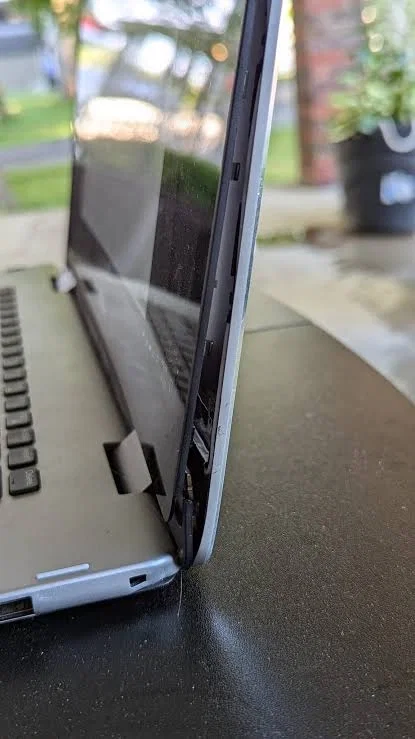
2. Broken or stiff hinges
What it looks like: The screen won't stay open, one side feels loose, you hear cracking when you open the lid, or the plastic around the hinge has cracked.Common causes: Opening the lid one-handed from a corner, carrying the laptop by the screen, or wear after years of opening and closing it every day.
Worth repairing? Often, yes. Hinge and hinge-cover repairs are common on Dell Latitude, Inspiron and Vostro ranges. Catching it early matters, because if a hinge tears the mounting points out of the lid or base, the repair gets bigger.
Before you bring it in: Don't force a stiff hinge. Support the base with one hand when you open it, and avoid using the laptop on soft surfaces that twist the chassis.
3. Keyboard keys that stick, fail or fall off
What it looks like: Certain keys don't register, double-type or stick down, or a keycap has come off and won't stay on.
Common causes: Dust and crumbs, liquid spills, wear on heavily used keys (space bar, Enter, WASD), or a failed keyboard membrane.
Worth repairing? In most cases, yes. Many Dell keyboards can be replaced as a unit. After a spill, the sooner it's cleaned the better the odds, so don't keep typing on a wet keyboard.
Before you bring it in: Turn it off and unplug it. If anything was spilled, tip it carefully so the liquid can drain, and don't blast it with a hairdryer on hot. Note which keys fail so we can confirm the fault quickly.
4. Overheating, loud fans or sudden shutdowns
What it looks like: The fan roars during simple tasks, the underside gets very hot, performance drops, or the laptop shuts down under load.
Common causes: Dust in the heatsink and vents, dried-out thermal paste, a failing fan, or using the laptop on a bed or couch that blocks airflow.
Worth repairing? Yes. A professional clean and fresh thermal paste often transforms how a Dell runs, and a worn fan can be replaced on many models.
Before you bring it in: Use it on a hard, flat surface, keep the vents clear, and gently brush or vacuum the external vents. Don't open the chassis yourself unless you know where the hidden screws and ribbon cables are. Dell layouts vary a lot from model to model.
5. Charging port or "plugged in, not charging"
What it looks like: The charger only works at a certain angle, you have to wiggle the plug, or Windows says it's plugged in but the battery isn't charging.
Common causes: A worn DC jack or USB-C charging port, a tired charger or cable, or (less often) a charging-circuit fault on the board.
Worth repairing? Often, yes, especially for jack or cable faults. As part of a laptop charging port repair, we test your charger and the laptop separately so you don't end up replacing the wrong part.
Before you bring it in: If you can borrow a Dell-compatible charger you know works, try it. Check your own cable for kinks or fraying near the plugs.
6. Cracked screen or intermittent display
What it looks like: Lines across the panel, black blobs, flickering, a dim backlight, or no picture on the built-in screen while an external monitor works fine.
Common causes: Drops, pressure in a bag, a failing display cable (sometimes linked to the hinges), or a worn backlight.
Worth repairing? Often, yes, if the laptop is otherwise in good nick. A laptop screen repair is a standard parts replacement, and cable faults are common on machines with tired hinges.
Before you bring it in: Plug in an external monitor. If that works, the motherboard graphics are usually fine and the fault is in the panel or the cable, which is useful to know before you decide.
7. Slow performance, freezes or failing hard drive
What it looks like: Long boot times, apps hanging, clicking noises from older drives, or warnings about disk health.
Common causes: A worn hard disk drive (HDD), a nearly full drive, old storage, or too little RAM for modern Windows and lots of browser tabs.
Worth repairing? Very often. Swapping an old HDD for an SSD, or upgrading the RAM where the model allows it, is one of the best-value refreshes you can give a Dell. It can feel like a different machine.
Before you bring it in: Back up anything important. Check whether your model has upgradeable RAM and storage. Business Latitudes usually do, while some slim Inspirons are more locked down.
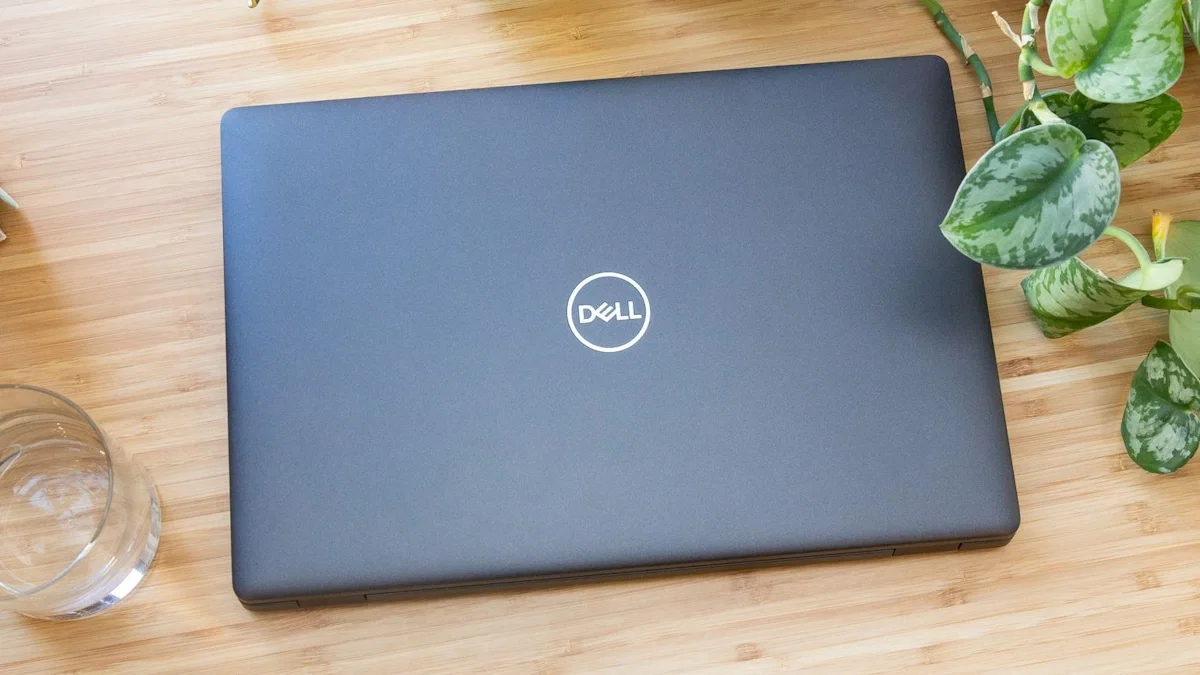
Dell Latitude 5400 Laptop sitting on a table.
When is a Dell repair worth it?
As a rough guide, a repair is worth considering when:
The fault is a common, well-understood one, such as the battery, hinges, keyboard, a clean and fresh paste, the charging port, the screen or a storage upgrade.
The chassis, motherboard and ports are otherwise sound.
You'd rather keep your files, charger and setup than start again.
It may not be worth it if the board has serious liquid damage, several major faults have stacked up, or the repair would cost close to a decent refurbished replacement. We'll tell you that straight.
If you're weighing up repair against replacement, we also stock quality refurbished laptops, including a range of refurbished Dell laptops, so you can compare your options in one place. And if a games console in the house is playing up too, we've covered common PS5 problems separately.
Common Dell laptop repair questions
Common Dell Repair Questions
We see Latitudes, Inspirons, Vostros and XPS machines regularly. Parts availability varies by exact model and age, so the best first step is a quick look so we can confirm what's involved.
A swollen battery should be taken seriously. Stop using the laptop if you can, don't puncture or bend the battery, and bring it in for safe replacement. Don't sit it on your lap if the case is bulging.
Most hardware jobs, like battery, keyboard, screen, hinge and fan repairs, don't need to wipe your drive. Storage upgrades and some board-level work are different, and we'll discuss backup options before anything that could affect your data.
If it's in warranty and hasn't had accidental damage, check with Dell or the retailer first. Under the Consumer Guarantees Act you may also have rights through the seller. For accidental damage, or once cover has ended, an independent repairer is a solid option.
It depends on the fault and whether the right parts are on hand. Get in touch with the model (usually on a sticker under the laptop) and a short description of the problem, and we'll give you a realistic idea.
Bring your Dell to Regen Computers
If your Dell is overheating, chewing through battery, cracking at the hinges or just feeling tired, pop into Regen Computers at 4 Devon Road, Frankton, Hamilton, or book through our Hamilton computer and laptop repair page. We'll diagnose it in plain English and tell you honestly whether it's worth fixing. If it isn't, we can talk you through a good refurbished alternative. We repair phones and consoles too.
Book Your Repair Now