
• Computer Repair Guides
Why Does My PC Keep Crashing?
If your PC keeps crashing, freezing, or locking up, you're certainly not alone. It's one of the most common issues we see in our workshop.

Written by
Braydon Stone
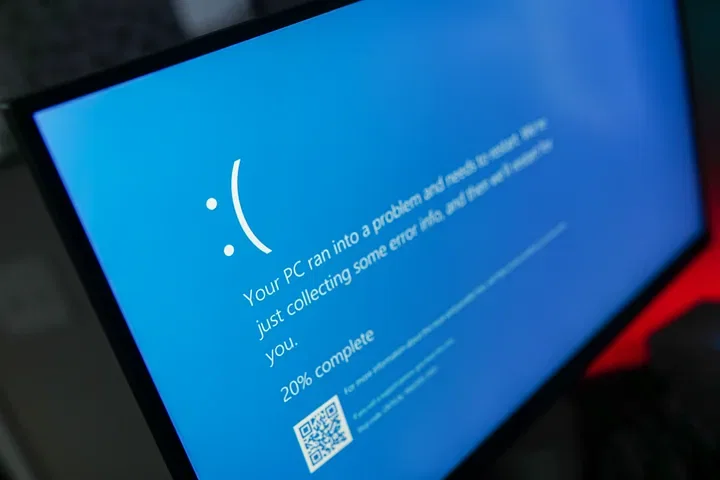
Why Does My PC Keep Crashing?: Quick Answer
The most common causes of PC crashes include:
Faulty RAM
Failing SSDs
Graphics card issues
Power supply problems
Overheating
Driver conflicts
Windows software issues
Third-party applications
The challenge is that many of these faults produce very similar symptoms, making proper diagnosis important.
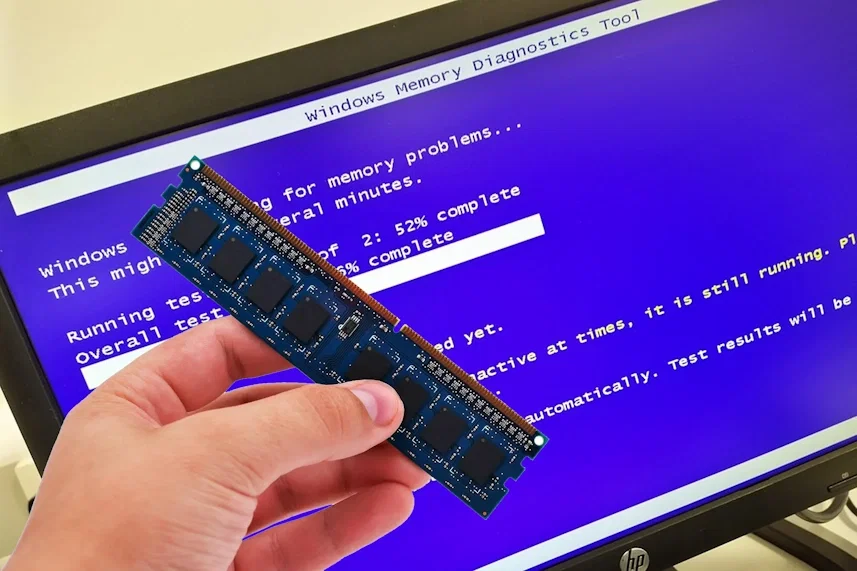
RAM in front of a monitor running a MEMTEST
Common Hardware Causes Of PC Crashes
Faulty RAM
Bad RAM is one of the most common causes of random crashes and instability.
Symptoms may include:
Blue screen errors
Random restarts
Applications crashing unexpectedly
Freezing during normal use
Because faulty RAM doesn't always fail immediately during testing, diagnosing RAM issues can sometimes be surprisingly difficult.
Failing SSDs
Many people assume an SSD will simply stop working when it fails.
In reality, we often see failing SSDs cause:
Freezing
Slow performance
Failed boots
Random crashes
Corrupted files
In some cases, SSD health testing quickly identifies the problem. In others, the drive may only fail intermittently.
Graphics Card Problems
Graphics cards are another common cause of system crashes, especially in gaming PCs.
Common symptoms include:
Black screens
Game crashes
Graphics driver errors
System lockups under load
Graphics-related issues can be caused by the graphics card itself, drivers, overheating, or a problem elsewhere in the system.
Power Supply Issues
The power supply is often overlooked when diagnosing crashes.
A failing power supply can cause:
Random shutdowns
Random restarts
System instability
Crashes during gaming or heavy workloads
Because many power supply faults occur under load, a computer can appear perfectly normal until it is stressed.
Common Software Causes Of PC Crashes
Hardware is not always the culprit.
In fact, some of the most difficult repairs we've worked on turned out to be software-related.
Software causes can include:
Driver conflicts
Corrupted Windows files
Faulty updates
Third-party applications
Background services
Gaming overlays
Sometimes the cause can be something you would never expect.
A Real Example From Our Workshop
We recently had a gaming PC booked in because it kept locking up completely during normal use.
The owner had already tried basic troubleshooting and believed it was a hardware fault.
We tested:
The SSD
The RAM
The power supply
Everything passed testing.
We checked Windows logs, but there were no useful errors beyond the system being forced to shut down after freezing.
After a significant amount of testing and trial-and-error, we eventually traced the issue to Xbox Game Bar.
As soon as Xbox Game Bar was disabled, the crashes disappeared.
This was particularly surprising because Xbox Game Bar is built into Windows and works perfectly fine on most systems.
It's a good example of why diagnosing crashes is not always straightforward. Sometimes the cause is exactly what you'd expect, and sometimes it's something completely unexpected.
Why Diagnosing PC Crashes Can Be Difficult
Symptom
Cause
Random freezing
RAM, SSD, drivers, software
Black screens
GPU, drivers, monitor issues
Random shutdowns
Power supply, overheating
Blue screens
RAM, drivers, Windows corruption
Performance issues
SSD, battery, software, overheating
One of the biggest misconceptions we see is customers assuming all crashes are either a hardware problem or a software problem.
In reality, both can produce almost identical symptoms.
A symptom alone rarely tells the full story.
That's why proper diagnosis often involves testing multiple components rather than simply replacing parts and hoping for the best.
Our Experience
One thing we've learned after diagnosing countless PCs is that the first suspected cause is not always the actual cause.
We've seen systems crash because of:
Faulty RAM
Failing SSDs
Graphics cards
Motherboard faults
Power supplies
Software conflicts
Windows features
Some faults can be identified in minutes, while others require extensive testing before the true cause is uncovered.
Your PC Crash Questions Answered
Yes. Faulty RAM is one of the most common causes of crashes, freezes, blue screens, and boot issues.
Absolutely. A failing SSD can cause freezing, file corruption, slow performance, crashes, and failed boots.
Yes. Drivers, Windows features, software conflicts, and third-party applications can all cause crashes even when hardware is functioning normally.
Gaming PCs place additional stress on components such as the graphics card, CPU, RAM, and power supply. However, crashes can also be caused by drivers, gaming overlays, or software conflicts.
Sometimes, but not always. Many hardware and software faults create similar symptoms, which is why proper testing is often required to identify the true cause.
Need Help Diagnosing A Crashing PC?
If your PC keeps crashing, freezing, restarting, or locking up, we can perform diagnostic testing to identify the underlying cause and recommend the most cost-effective solution.
Book Your Repair Now